Parts Inventory Management for Repair Shops
How to track parts, set reorder points, and stop losing money to overstocking, stockouts, and mystery shrinkage in your repair shop.
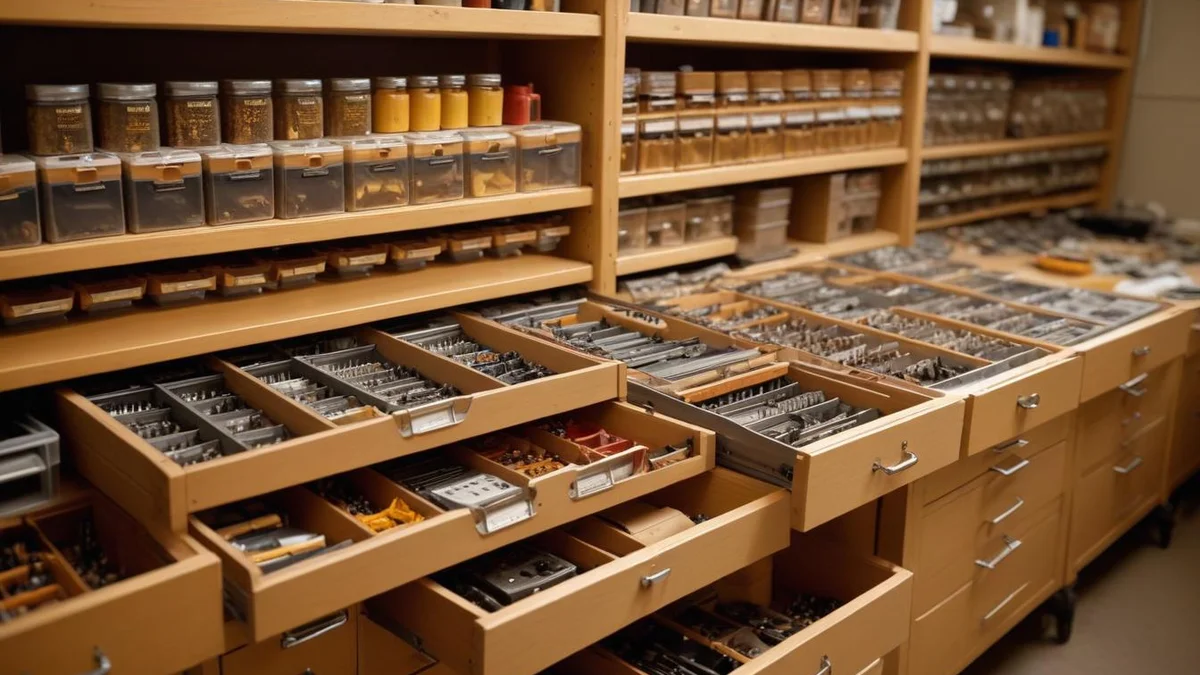
Most repair shops either carry too many parts or not enough. Overstocking ties up cash in bins that collect dust. Stockouts delay repairs and frustrate customers. The fix isn't complicated — track what you actually use, set reorder points based on real consumption, and do a physical count at least once a quarter.
Why Parts Inventory Matters More Than You Think
Parts are typically your second-largest expense after labor. A shop doing $30K/month in repairs might carry $8-15K in parts at any given time. That's a significant chunk of working capital sitting on shelves.
When parts inventory is managed poorly, three things happen:
- Stockouts delay repairs. A $3 capacitor you don't have in stock turns a same-day fix into a 5-day wait. The customer is annoyed, your bench is occupied, and you've lost the momentum on that job.
- Overstocking eats cash. That bulk order of 50 belts felt smart at the time, but 40 of them are still sitting there 8 months later. That's money that could have been marketing or rent.
- Shrinkage goes unnoticed. Parts walk off. They get used on jobs and never logged. They get damaged. Without tracking, you don't even know it's happening until the quarterly tax prep reveals a gap.
Start With What You Actually Use
Don't try to catalog every part in existence. Start with the parts you use most frequently.
The 80/20 Rule Applies Here
In most repair shops, 20% of your parts account for 80% of your usage. Identify those high-movers first:
- Pull your last 3 months of invoices
- List every part that appeared on a repair
- Sort by frequency
Your top 20-30 parts are the ones that need active inventory management. Everything else can be ordered as needed.
Set Reorder Points
For each high-mover, determine:
- Average weekly usage — How many do you go through in a typical week?
- Lead time — How long does it take to get more from your supplier? (Include shipping.)
- Safety stock — How many do you want as a buffer for spikes?
Reorder point = (Weekly usage × Lead time in weeks) + Safety stock
Example: You use 4 replacement brushes per week. Your supplier ships in 5 business days. You want 3 as safety stock.
Reorder point = (4 × 1) + 3 = 7 brushes
When your count hits 7, it's time to order. You won't run out, and you won't have 50 sitting there.
Organizing Your Parts Room
A messy parts room is an inventory system that doesn't work. If your techs can't find a part in 30 seconds, you have an organization problem.
Bin Locations
Assign every part to a specific bin or shelf location. Label it clearly. When a part is received, it goes to its bin. When a tech needs it, they know exactly where to look.
A simple scheme works:
- A1, A2, A3 — Shelf A, positions 1-3
- B1, B2, B3 — Shelf B, positions 1-3
- D1 — Drawer 1
Record the bin location in your system so anyone can find anything without asking.
Group by Category, Not Alphabetically
Group parts by what they're used on, not by name. All power tool brushes together. All capacitors together. All belts together. A tech working on a Makita drill shouldn't have to check three different shelves for brushes, switches, and chuck assemblies.


Tracking Parts Usage
The biggest inventory mistake is not logging parts when they're used on repairs. Every part that goes onto a job needs to be recorded — both for accurate invoicing and for inventory counts.
Log at the Point of Use
Don't wait until the end of the day to log parts. Techs should record parts as they use them, ideally from the same screen where they're updating the repair. A solid intake process that documents everything from the start makes downstream parts tracking much easier. If logging a part requires opening a separate system or filling out a paper form, it won't happen consistently.
Barcode Scanning
If you're still looking up parts by name or SKU, barcodes will save significant time. Scan the part, it decrements inventory and adds it to the repair. No typing, no searching, no mistakes.
Even a basic USB barcode scanner ($30-50) connected to your workstation dramatically speeds this up. For a full breakdown of how to implement scanning across your shop, see our guide on barcode scanning for repair shops.
Doing Physical Counts
Your digital inventory count will drift from reality. Parts get used and not logged. Parts get damaged and thrown away. Counts get entered wrong. The only way to reconcile is a physical count.
Quarterly Counts Are the Minimum
Full counts are tedious, but quarterly is the minimum cadence. Monthly is better if you have the staff. Some shops count a different section each week (cycle counting) so the whole room gets counted monthly without a single painful all-day event.
How to Handle Discrepancies
When your physical count doesn't match your system:
- Trust the physical count. The parts on the shelf are the truth. Adjust the system.
- Investigate big gaps. If you're supposed to have 25 of something and you have 8, figure out why. Was it a logging failure? Theft? Damage?
- Adjust and move on. For small variances (1-2 units), just adjust the count. Obsessing over a missing $2 fuse isn't worth an hour of investigation.
Common Parts Inventory Mistakes
Buying in Bulk to Save Per-Unit Cost
Suppliers love to offer bulk discounts. "Buy 100 and save 15%!" But if you only use 3 per month, that's a 33-month supply. The 15% you saved is eaten by the opportunity cost of that cash sitting on a shelf.
Buy in bulk only for parts you burn through fast (weekly usage of 5+).
Not Tracking Cores and Returns
Some parts have core charges. When you replace a motor or armature, the old one has return value. Track cores separately and actually send them back. Unreturned cores are pure margin loss.
Mixing New and Salvaged Parts
Keep salvaged parts separate from new inventory. Different cost basis, different warranty implications — and if you sell refurbished tools online, accurate cost tracking on salvaged parts is essential for calculating real margins. A customer paying for a new part shouldn't get a salvaged one, and your margins will be wrong if you mix them in the same bin.
How Software Helps
Dedicated repair shop software tracks parts inventory alongside your repair workflow. When a tech adds a part to a repair, inventory decrements automatically. When stock hits the reorder point, you get an alert. When you do a physical count, you can reconcile digitally.
The key features to look for:
- Automatic decrement when parts are used on repairs
- Low stock alerts at configurable reorder points
- Bin/location tracking so anyone can find any part
- Barcode scanning for fast lookups and usage logging
- Cost tracking for accurate margin calculations — if you use QuickBooks, see how to sync parts costs with your accounting
- Count reconciliation for physical inventory counts
Manual spreadsheets work for 5-10 parts. Once you're tracking 50+, software pays for itself in time saved and shrinkage prevented.
Getting Started
If you're not tracking parts at all today, don't try to set up a perfect system overnight. Start here:
- List your top 20 parts by usage frequency
- Count what you have of each one right now
- Set a reorder point for each based on the formula above
- Assign bin locations and label them
- Log every part used on repairs starting today
Within a month, you'll have real consumption data. Within a quarter, you'll wonder how you ever operated without it.
Related
Industry
Power Tools
Drills, saws, grinders, and all power tools
Industry
Electronics & Mobile
Phones, tablets, laptops, game consoles
Industry
Outdoor Equipment
Lawn mowers, snow blowers, chainsaws
Comparison
Bench vs RepairShopr
Comparison
Bench vs RepairDesk
Pricing
Bench Pricing
Plans from $99/month
Guide
QuickBooks for Appliance Repair Businesses: A Practical Guide
Guide
QuickBooks for Electronics Repair Shops: Setup and Best Practices
Guide