Best Repair Shop Software in 2026: A Complete Comparison
An honest comparison of the top repair shop management platforms, what each does best, and how to choose the right one for your shop.
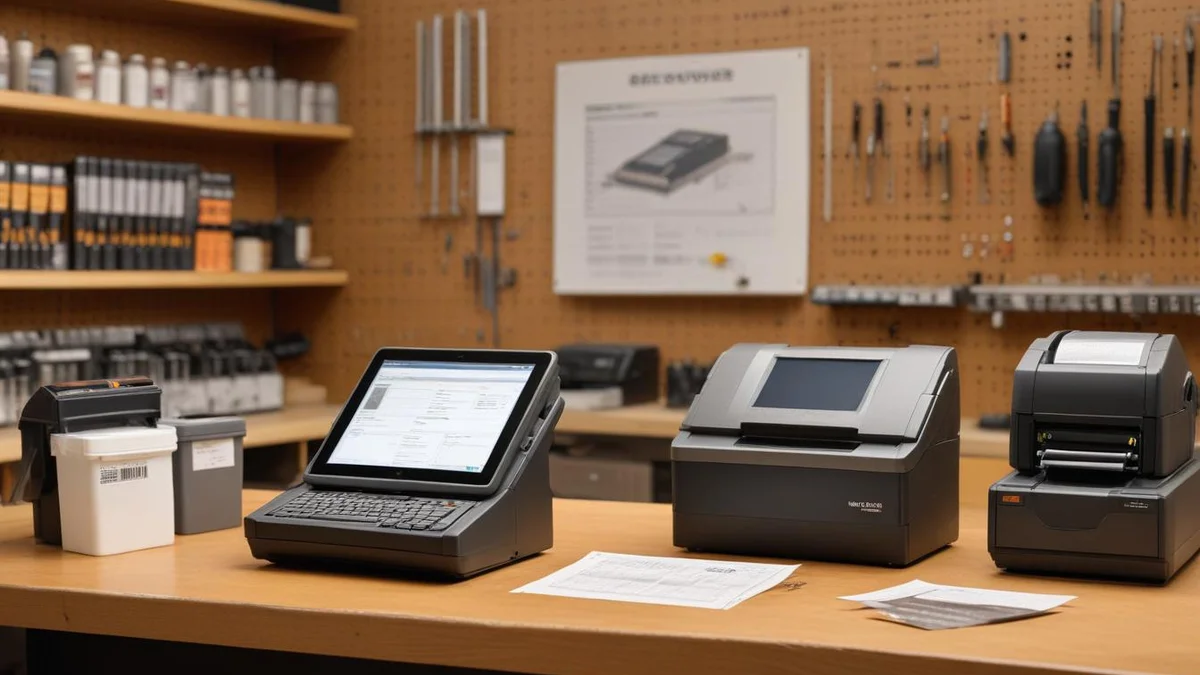
The best repair shop software depends on your shop type, volume, and how you communicate with customers. For most independent repair shops doing 50+ repairs per month, you need a platform that handles ticket management, customer communication, payments, inventory, and resale — without requiring separate tools for each.
What to Look For in Repair Shop Software
Before comparing platforms, get clear on the features that actually move the needle for a repair shop:
- Ticket and repair tracking — Creating, updating, and closing repair tickets is the core workflow. Look for status tracking, technician assignment, and the ability to attach photos or notes.
- Customer communication — How does the platform notify customers about repair status? Email-only is outdated. SMS and text-based updates are what customers expect now.
- Payment processing — Can customers pay online? Can you send a payment link via text? Integrated payments save time and reduce no-shows at pickup.
- Point of sale — Walk-in sales for parts and refurbished tools should not require a separate system. Barcode scanning, cash and card payments, and receipt printing should be built in.
- Refurbished resale — If your shop sells refurbished tools or converts abandoned repairs into resale inventory, the software should handle condition grading, pricing, and an online storefront.
- Inventory management — Parts tracking, low-stock alerts, and the ability to associate parts with specific repairs.
- Reporting — Revenue by technician, average repair time, parts margins, outstanding balances. You need data to run the business.
Our Pick: Bench

Bench is built specifically for repair shops — power tools, small engine, electronics, appliances, and similar trades. It handles the full lifecycle from intake to payment, resale, and customer communication.
Why Bench stands out:
- SMS-first communication — Status updates are sent via text automatically. Customers know their repair is ready without checking email or calling. No app to download, no portal to log into.
- Text-to-pay — Send a payment link via SMS. Customers pay from their phone before they even arrive for pickup. Faster collection, fewer no-shows.
- Public tracking pages — Each repair gets a shareable URL so customers can check status without calling your shop.
- Full POS system — Walk-in sales with barcode scanning, cash and card payments, receipt printing, and refunds. Sell parts, accessories, or refurbished tools directly from the counter.
- Refurbished device management — Five-tier condition grading (New, Like New, Good, Fair, For Parts), abandoned-to-resale conversion with automatic markup, and a public online shop with Stripe checkout and Shippo shipping integration.
- QuickBooks integration — Invoices, payments, and customer records sync automatically. No double entry. For setup details, read our QuickBooks integration guide.
- Clean, fast interface — New staff learn the system in under an hour. The workflow follows the natural repair process without unnecessary complexity.
- Spanish language support — Full bilingual interface for shops serving Spanish-speaking communities.
- Flat pricing with no per-user fees — Your whole team is included. Add technicians without watching costs climb.
Considerations: Bench is a newer platform, so its community and third-party integration ecosystem is still growing compared to legacy tools.
Best for: Independent repair shops that want a modern, full-featured platform with strong customer communication, built-in POS, and refurbished resale — all without per-user fees.


The Alternatives
RepairShopr
RepairShopr has been around the longest and has a large user base in the electronics repair space. It offers a solid ticketing system, a built-in CRM, invoicing, and a customer portal.
Strengths: Mature feature set, extensive integrations, established community. Works well for electronics and phone repair shops that need a customer-facing portal.
Weaknesses: The interface feels dated and the learning curve is steep for new staff. Pricing has increased significantly over the past two years. Mobile experience is limited — most workflows require a desktop browser. Customer communication relies heavily on email rather than SMS.
Best for: Electronics repair shops already using it that do not want to migrate. If you are considering a switch, see our RepairShopr alternatives roundup.
RepairDesk
RepairDesk targets phone and electronics repair with features like IMEI tracking and a POS system. It has a more modern interface than RepairShopr.
Strengths: IMEI and serial number tracking, customer intake widgets for your website. For a head-to-head breakdown, read our RepairDesk vs RepairShopr comparison.
Weaknesses: Pricing gets expensive as you add locations or users. Some features feel half-built — the reporting module is basic and the mobile app is unreliable. Customer communication is mostly email-driven.
Best for: Phone repair shops that need IMEI tracking and are willing to pay per-user fees.
mHelpDesk
mHelpDesk is a general field service platform that some repair shops use. It handles scheduling, dispatching, and invoicing with a focus on mobile technicians.
Strengths: Good scheduling and dispatch features, solid mobile app, GPS tracking for field technicians.
Weaknesses: Not built specifically for repair shops. No ticket/repair tracking workflow — you have to adapt their "job" model to fit repairs. Inventory management is minimal. No POS or refurbished resale tools.
Best for: Shops that do significant on-site repair work or mobile service calls, not bench-based repair.
Housecall Pro
Housecall Pro is a field service platform popular with HVAC, plumbing, and electrical contractors. Some repair shops adopt it for its polished interface and marketing tools.
Strengths: Clean interface, strong online booking, built-in review generation, good customer communication for field service.
Weaknesses: Designed for home service businesses, not repair shops. No repair ticket workflow, no parts tracking tied to specific jobs, and no way to manage items left at your shop. Pricing is high for what repair shops actually use. Per-user fees add up quickly.
Best for: Service businesses that go to the customer, not shops where customers drop off equipment.
Pricing Comparison
Pricing varies by plan and add-ons, but here is a rough comparison for a single-location shop:
| Platform | Monthly Cost | Per-User Fees | POS Included | Refurbished Resale |
|---|---|---|---|---|
| Bench | Flat rate | None | Yes | Yes |
| RepairShopr | $59-$199 | Varies by tier | No | No |
| RepairDesk | $99-$199 | Yes, per location | Add-on | Basic |
| mHelpDesk | $150+ | Custom | No | No |
| Housecall Pro | $79-$189 | Yes, per user | No | No |
How to Evaluate for Your Shop
The right software depends on three questions:
What do you actually repair?
Phone and electronics shops have different needs than power tool or small engine shops. IMEI tracking matters for phones. Serial number and warranty tracking matters for tools. Make sure the platform supports your specific workflow.
How do your customers want to communicate?
If your customers are contractors, they are on job sites and prefer text messages over emails. If your customers are consumers dropping off laptops, a customer portal might work. Match the platform to how your customers actually behave.
How fast does your team need to get up to speed?
A platform with a steep learning curve costs you money during onboarding. If you have high staff turnover or seasonal workers, a simpler interface pays for itself.
Migration Considerations
Switching platforms is work, but it is not as painful as most shops expect. Key steps:
- Export your customer list — Most platforms let you export to CSV. Customer names, contact info, and repair history are the priority.
- Do not try to migrate everything — Move active tickets and open invoices. Historical data can stay in the old system as a reference.
- Run both systems in parallel for one week — Enter new repairs in the new system while finishing open tickets in the old one.
- Train your team before the switch — Spend one session walking through the core workflow: create ticket, update status, notify customer, collect payment.
The best time to switch is during a slow period. The worst time is right before your busiest season. If you are ready to move, we have step-by-step guides for migrating from RepairDesk and migrating from RepairShopr.
Related
Industry
Power Tools
Drills, saws, grinders, and all power tools
Industry
Electronics & Mobile
Phones, tablets, laptops, game consoles
Comparison
Bench vs RepairShopr
Comparison
Bench vs RepairDesk
Pricing
Bench Pricing
Plans from $99/month
Guide
How to Migrate from RepairDesk to Bench
Guide
How to Migrate from RepairShopr to Bench
Guide