How to Price Laptop and Computer Repairs in 2026
A comprehensive pricing guide for laptop and desktop repairs — from screen replacements to motherboard work, with real-world rates and margin targets.
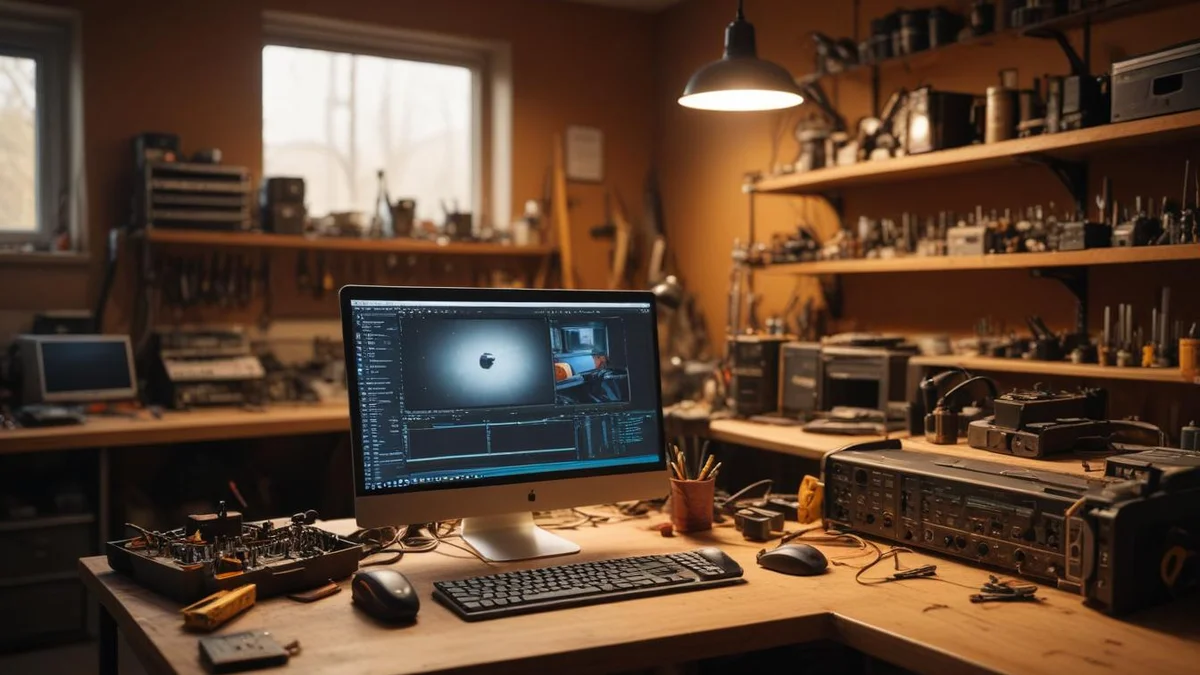
Computer repair is alive and well in 2026. Despite the "everything is disposable" narrative, the reality is that laptops and desktops are expensive enough that most people still want them fixed. A MacBook Pro costs $2,500+. A decent business-class ThinkPad runs $1,200-1,800. When a screen cracks or a hard drive fails, the math almost always favors repair. The question for shop owners isn't whether the work exists — it's whether you're pricing it correctly.
The Computer Repair Market in 2026
The repair landscape has shifted in your favor over the last two years. Here's what's driving demand:
The Aging Fleet
The average age of a laptop in use in the US is now over four years. Corporate refresh cycles stretched from 3 years to 4-5 years during the post-pandemic budget tightening, and many organizations never snapped back. That means more machines need battery replacements, SSD upgrades, thermal paste reapplications, and keyboard fixes.
Right-to-Repair Momentum
Right-to-repair legislation has passed in over a dozen states, and the FTC continues to push manufacturers to make parts and documentation available. Apple's Self Service Repair program expanded again in 2025, and while it's not perfect, it means OEM parts are more accessible than ever. Framework laptops are gaining traction in the enthusiast market. The cultural shift is real — consumers increasingly expect the right to choose where their device gets fixed.
What Customers Are Willing to Pay
Most consumers will pay for a repair if it costs less than 50% of the replacement value of the device. For a $1,500 laptop, that's a $750 ceiling — and most common repairs fall well under that. Business clients have an even higher threshold because they factor in data migration, software licensing, and employee downtime.
Pricing Models: Flat Rate vs. Hourly
There are two fundamental approaches to pricing computer repairs, and most successful shops use a hybrid.
Flat-Rate Pricing
Flat rates work best for standardized, predictable repairs:
- Screen replacements — You know the part, you know the labor time
- Battery replacements — Same story
- SSD/RAM upgrades — Straightforward hardware swap
- Virus/malware removal — Standardized process with known time commitment
- OS reinstalls — Predictable scope
Flat-rate pricing is easier for customers to understand, eliminates sticker shock, and lets you quote prices on the phone or on your website. It also rewards efficiency — the faster your techs get, the better your margins.
Hourly Pricing
Hourly rates make sense for unpredictable, diagnostic-heavy work:
- Motherboard repair — Could be a simple capacitor, could be a dead GPU
- Liquid damage — Scope unknown until you open it up
- Intermittent issues — "It crashes sometimes" is not a flat-rate job
- Data recovery — Difficulty varies wildly
Typical hourly rates for computer repair in 2026 range from $75-150/hour depending on your market. Urban shops in high-cost areas charge $100-150. Suburban and rural shops are competitive at $75-100. For help calculating what your rate should be based on actual overhead and utilization, see our guide on how to price labor in your repair shop.
The Diagnostic Fee
Every shop should charge a diagnostic fee. Period. It protects you from spending 30-60 minutes diagnosing a machine only to have the customer say "never mind, I'll just buy a new one."
- Standard diagnostic: $35-75 (waived if customer approves the repair)
- Advanced diagnostic (board-level): $75-150 (partially applied to repair cost)
The "waived if you proceed" model is the industry standard and works well. It removes friction for customers who intend to repair while protecting you from tire-kickers.
Common Repairs and Pricing Ranges
Here's a comprehensive pricing table based on real-world shop rates across the US in 2026. These are customer-facing prices, not parts cost.
| Repair Type | Low | Mid | High | Typical Labor Time |
|---|---|---|---|---|
| Screen replacement (13-14" laptop) | $150 | $250 | $400 | 30-60 min |
| Screen replacement (15-16" laptop) | $180 | $300 | $500 | 30-60 min |
| Battery replacement (laptop) | $80 | $130 | $200 | 20-45 min |
| Keyboard replacement (laptop) | $100 | $180 | $300 | 45-90 min |
| SSD upgrade / replacement | $80 | $150 | $250 | 15-30 min |
| RAM upgrade | $50 | $90 | $150 | 10-20 min |
| Virus / malware removal | $80 | $130 | $200 | 60-120 min |
| OS reinstall (clean) | $80 | $120 | $180 | 30-60 min + imaging |
| Data recovery (software-level) | $100 | $200 | $350 | 60-180 min |
| Data recovery (hardware failure) | $300 | $600 | $1,200 | Varies |
| Fan replacement / thermal paste | $60 | $100 | $160 | 30-60 min |
| DC jack / charging port repair | $80 | $140 | $220 | 30-75 min |
| Motherboard repair (component-level) | $150 | $300 | $500 | 60-180 min |
| Motherboard replacement | $250 | $450 | $800+ | 60-120 min |
| Liquid damage cleaning + repair | $150 | $300 | $600+ | 90-240 min |
| Hinge repair / replacement | $80 | $150 | $250 | 30-60 min |
| Desktop power supply replacement | $60 | $100 | $160 | 15-30 min |
| Desktop GPU replacement | $50 | $80 | $120 | 15-30 min (+ part) |
Low represents aftermarket parts in a competitive market. Mid is where most independent shops land. High reflects OEM parts, premium service, or high-cost metro areas.
The pricing spread on any given repair is driven by three factors: the specific device model (a MacBook screen costs more than a Chromebook screen), the part quality tier, and your local market rate.
Parts Sourcing and Markup
Your parts sourcing strategy directly determines your margins. Here's how to think about it.
OEM vs. Aftermarket
- OEM (Original Equipment Manufacturer): Genuine parts from Apple, Lenovo, Dell, HP, etc. Highest quality, highest cost, best for premium-tier pricing. Apple Genuine Parts are now available through the Self Service Repair program and authorized channels.
- Aftermarket (high quality): Third-party parts that meet or approach OEM specs. Companies like iFixit sell quality-tested replacement parts. Good for your standard tier.
- Aftermarket (budget): Cheapest available parts from wholesale suppliers. Margins look great on paper, but higher failure rates and warranty claims eat into profit. Use cautiously.
Typical Markup Structure
Most computer repair shops apply a 40-60% markup on parts, depending on the part cost:
| Parts Cost (Your Cost) | Typical Markup | Customer Price | Your Margin |
|---|---|---|---|
| $10-30 | 100-200% | $20-90 | $10-60 |
| $30-75 | 60-100% | $48-150 | $18-75 |
| $75-150 | 50-70% | $113-255 | $38-105 |
| $150-300 | 40-50% | $210-450 | $60-150 |
| $300+ | 30-40% | $390-420+ | $90-120+ |
Lower-cost parts get a higher percentage markup because the dollar amount is small either way. A $15 part marked up 100% is only $30 — still feels reasonable to the customer. A $400 motherboard marked up 100% would be $800 in parts alone, which prices you out of the market. To make sure these margins hold up in practice, track your parts costs in QuickBooks at the line-item level so freight and defects do not silently eat your profit.
Where to Source
- iFixit — Quality aftermarket parts, good documentation, reasonable wholesale pricing
- Injured Gadgets — Competitive pricing, wide selection for laptops and phones
- Direct from manufacturers — Dell and Lenovo sell parts through their parts stores. Apple through Self Service Repair.
- Alibaba / AliExpress — Cheapest option for common parts, but quality varies wildly. Test batches before committing.
- Local distributor networks — If you do volume, build relationships with regional distributors for better pricing and faster shipping


Data Recovery Pricing
Data recovery deserves its own pricing structure because the difficulty range is enormous. A three-tier system works well:
Tier 1: Software-Level Recovery ($100-350)
The drive is physically functional but the data is inaccessible due to:
- Accidental deletion
- Corrupted file system
- Failed OS update
- Partition errors
Tools like R-Studio, DMDE, or PhotoRec handle most of these cases. Labor time is 1-3 hours, and success rates are high (85%+).
Tier 2: Hardware Failure — Drive Accessible ($300-800)
The drive has physical issues but can still be imaged:
- Clicking or grinding sounds
- SMART errors indicating imminent failure
- Bad sectors causing read errors
- Firmware corruption
You need a hardware imaging tool like a PC-3000 or DeepSpar. These jobs take longer, success rates drop to 60-80%, and you need to communicate that clearly to the customer before starting.
Tier 3: Severe Hardware Failure / Clean Room ($500-2,500+)
The drive requires physical intervention:
- Head crash
- Motor failure
- Platter damage
- Fire or flood damage
Most independent shops refer these out to specialized data recovery labs (DriveSavers, Ontrack, etc.) and take a referral fee. Unless you've invested in clean room equipment and training, don't attempt these in-house. The liability risk isn't worth it.
Key principle: Always quote data recovery as "diagnostic fee + recovery fee if successful." Charge $50-100 for the diagnostic assessment, then quote the recovery. Never guarantee recovery — quote a success probability and let the customer decide.
Pricing for Business and Commercial Clients
Business clients are your most profitable customer segment if you structure the relationship correctly. They value reliability and speed over price, and they come back month after month.
MSP-Style Service Contracts
Managed Service Provider (MSP) contracts give businesses predictable IT costs and give you predictable revenue:
- Per-device monthly fee: $25-75/device/month covers monitoring, maintenance, and a set number of repair hours
- Break-fix with priority SLA: No monthly fee, but business clients pay a premium rate ($100-150/hr) for guaranteed same-day or next-day turnaround
- Block hours: Sell 10-20 hour blocks at a 10-15% discount. The customer prepays, you bank the revenue upfront
Volume Discount Structure
For business accounts bringing consistent repair volume:
- 5-9 repairs/month: 10% discount off retail pricing
- 10-19 repairs/month: 15% discount
- 20+ repairs/month: 20% discount or custom rate card
SLA Turnaround Tiers
Offering tiered turnaround times lets you charge a premium for speed without lowering your standard pricing:
- Standard: 3-5 business days (no surcharge)
- Priority: Next business day (+25-50% surcharge)
- Emergency: Same day (+75-100% surcharge)
Business clients will pay the emergency rate without blinking if a critical machine is down. This is where some of your best per-job margins come from.
What Business Clients Actually Care About
They don't want the cheapest price. They want:
- A single point of contact who knows their environment
- Consistent, predictable billing they can budget for
- Fast communication — status updates without having to call
- Documentation — invoices that their accounting team can process without questions
Nail these four things and pricing becomes secondary. A QuickBooks integration that syncs itemized invoices automatically makes consistent, professional billing much easier to deliver.
When to Decline a Repair
Not every repair is worth taking. Knowing when to say no protects your shop's reputation and your bottom line.
Cost Exceeds Replacement Value
If the repair will cost more than 50-60% of what a comparable replacement would cost, have an honest conversation with the customer. "I can fix this for $450, but a refurbished model with better specs is $600. Here's what I'd recommend." Customers remember honesty. They'll come back to you for the next repair and refer their friends.
Obsolete Parts
Some machines are simply too old to source parts for reliably:
- Pre-2018 MacBooks with butterfly keyboards — parts are scarce and failure rates are high
- Discontinued ultrabooks with proprietary components — if the manufacturer doesn't sell parts and no aftermarket exists, you're stuck
- Machines with soldered RAM/storage where the board is the problem — the "repair" is effectively a full board replacement at near-replacement cost
Liability Risks
Decline repairs where the downside risk is disproportionate:
- Devices with critical data and no backup where the customer refuses to sign a liability waiver
- Water-damaged machines where the customer expects a guarantee — you can attempt it, but never guarantee success
- Devices involved in legal proceedings — advise them to work with a forensics specialist
- Machines with physically damaged batteries that could be a thermal runaway risk — don't store these in your shop without proper safety containers
The right approach is to be transparent: explain why you're declining, offer an alternative (another shop, manufacturer service, recycling), and move on. A declined repair that ends with a good recommendation still builds your reputation.
How Bench Handles Computer Repair Shops
Managing a computer repair operation means juggling dozens of open tickets across different device types, tracking parts orders and inventory, and keeping customers updated on status — all while doing the actual repair work. This is where most shops either drown in spreadsheets or overpay for software built for a different industry.
Ticket Tracking Built for Repair Workflows
Bench lets you create intake tickets that capture the device details, customer-reported symptoms, diagnostic findings, and repair authorization in one place. Every status change is logged, so you have a full audit trail from intake through completion. When a customer calls asking about their laptop, your front desk can pull up the ticket and give an accurate answer in seconds.
Parts Inventory and Cost Tracking
Log your parts inventory with cost-per-unit, supplier information, and stock levels. When you complete a repair, associate the parts used with the ticket — your margins are calculated automatically. No more guessing whether your MacBook screen repairs are actually profitable or just feel profitable.
Customer Portal for Status Updates
Your customers get a tracking link where they can see their repair status in real time. That means fewer phone calls interrupting your workflow, fewer "is it done yet?" emails, and customers who feel informed without you having to chase them down. For business accounts managing multiple devices, the portal shows all their active and completed repairs in one view.
Reporting That Drives Pricing Decisions
Run reports on revenue by repair type, average margin per device category, and technician throughput. When it's time to review your pricing quarterly, you're making decisions based on real data from your own shop — not guessing based on what some forum post said six months ago.
The Bottom Line
Computer repair pricing in 2026 comes down to knowing your actual costs, understanding your local market, and having the discipline to track your margins by repair type. The shops that thrive aren't the cheapest — they're the ones that price deliberately, communicate value clearly, and adjust based on data.
Set flat rates for predictable repairs. Use hourly billing for diagnostic-heavy work. Always charge a diagnostic fee. Offer tiered parts quality so customers have a choice. Build business accounts with service contracts and priority SLAs. And know when to decline a repair that doesn't make financial sense for you or the customer.
If you're tracking all of this in a spreadsheet or in your head, you're leaving money on the table. The difference between a shop that survives and one that grows is visibility into what's actually making you money — and what isn't.
Related
Industry
Electronics & Mobile
Phones, tablets, laptops, game consoles
Comparison
Bench vs RepairShopr
Comparison
Bench vs RepairDesk
Pricing
Bench Pricing
Plans from $99/month
Guide
Outdoor Power Equipment: Surviving the Seasonal Rush
Guide
Starting a Commercial Equipment Repair Business
Guide